

Download Accurately Timed Weather – Desktop Clock & Weather Forecast Tool
Overview
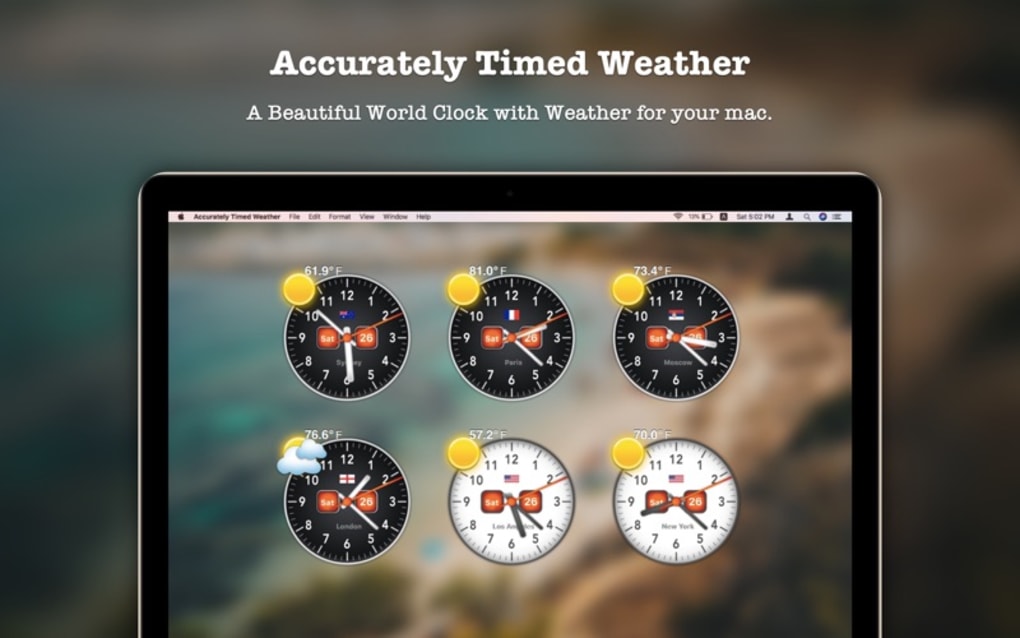
Accurately Timed Weather is a lightweight desktop utility that brings real‑time clocks and up‑to‑date weather information to your Windows or macOS workstation. Whether you’re a global traveler, a remote team manager coordinating across time zones, or simply someone who likes to keep an eye on the weather in multiple cities, this app offers a clean, customizable interface that blends seamlessly with your desktop background. The core idea behind the software is simplicity: place as many analog or digital clocks as you need, color‑code them for day and night, and tap a single button to reveal a four‑day weather outlook for any selected location.
All data is pulled from reliable meteorological services, ensuring that the temperature, precipitation chance, and sunrise/sunset times are as accurate as possible. The tool runs quietly in the background, consumes minimal resources, and updates automatically, so you never have to worry about stale information. If you’re looking for a free, secure, and regularly updated solution to keep time and weather at your fingertips, Accurately Timed Weather delivers exactly that without the clutter of ads or unnecessary pop‑ups.
Key Features
- Multiple Clock Displays: Add unlimited analog or digital clocks for any city worldwide.
- Day/Night Color Coding: Clocks automatically switch to white for daytime and black for nighttime, giving instant visual cues.
- 4‑Day Weather Forecast: Click a city to see a concise four‑day outlook, including temperature highs/lows, precipitation probability, and wind speed.
- Customizable Layout: Drag‑and‑drop clocks to any spot on the desktop, resize them, and choose between compact or detailed views.
- Secure Auto‑Updates: The app checks for updates daily, ensuring you always have the latest weather data and clock accuracy.
- Low System Impact: Designed to run in the background with less than 5 MB RAM usage, preserving performance for other tasks.
- Free Version Available: No hidden fees; optional premium upgrade adds extra skins and advanced weather widgets.
- Cross‑Platform Support: Compatible with Windows 10/11 and macOS 10.14+ (with a native installer for each OS).
Installation & Usage Instructions
Step‑by‑Step Installation
- Visit the official Accurately Timed Weather website and click the Download button for your operating system (Windows or macOS).
- Run the installer file (
.exefor Windows,.dmgfor macOS). The wizard will guide you through standard installation steps—accept the license agreement, choose an installation folder, and click Install. - When the installation completes, launch the application from the Start menu (Windows) or Applications folder (macOS).
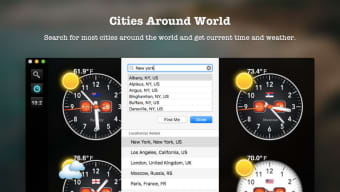
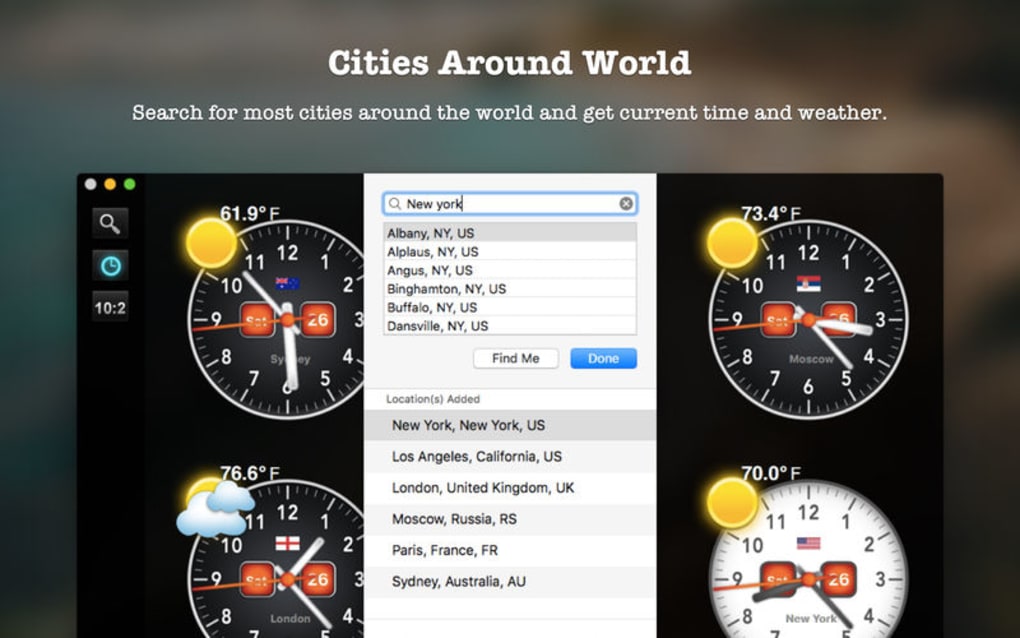
- The first‑time setup wizard will prompt you to add your primary city. Type the city name, select it from the dropdown, and confirm.
- Repeat the process to add additional cities; you can add as many as you need, and each will appear as a separate clock on your desktop.
Getting the Most Out of the App
Once the clocks are on your desktop, you can right‑click any clock to open a context menu. From here you can switch between analog and digital displays, change the size, or delete the clock entirely. Selecting View Weather opens a compact overlay showing the four‑day forecast for that city. The overlay uses intuitive icons for rain, snow, and sunshine, making it easy to read at a glance.
The settings panel (accessible via the system tray icon) lets you adjust global preferences: choose a default time format (12‑hour or 24‑hour), set the refresh interval for weather data (default is 30 minutes), and enable or disable automatic day/night color switching. If you prefer a minimalist look, you can hide the date from the clock faces or enable a “transparent background” mode that blends the clocks directly with your wallpaper.
Because the app updates automatically, you’ll never have to manually refresh the weather. However, if you need an immediate update—perhaps after a sudden storm—you can click the Refresh Now button in the overlay. All changes are saved instantly, so your customized layout persists after a system reboot.
Compatibility, Pros & Cons
Supported Operating Systems
Accurately Timed Weather is officially supported on the following platforms:
- Windows 10 and Windows 11 (64‑bit)
- macOS 10.14 (Mojave) and later (including Apple Silicon builds)
While the core functionality works across these OS versions, the premium skins and certain advanced widgets are only available on the latest updates of each platform. The developer also provides a roadmap for future Linux support, but no official release exists at this time.
Pros
- Intuitive Interface: Drag‑and‑drop placement makes setup effortless.
- Accurate Data: Weather sourced from reputable APIs ensures reliability.
- Resource‑Friendly: Low memory footprint keeps your PC fast.
- Day/Night Visual Cue: Color coding reduces the need to check the clock manually.
- Free Core Version: No subscription required for essential features.
Cons
- Limited Advanced Widgets: Premium skins are behind a paywall.
- No Linux Native App: Users on Linux must rely on workarounds.
- Basic Weather Detail: Only a four‑day outlook; no hourly forecasts.
- Single‑Language UI: Currently only available in English.
Frequently Asked Questions
Can I add more than ten clocks?
Yes. The free version allows unlimited clocks. Performance may degrade only if you add an extreme number (hundreds), but typical usage (5‑15 clocks) runs smoothly.
Is my location data shared with third parties?
No. The app only sends city names to the weather API provider for forecast data. No personal identifiers or usage logs are sold or shared.
How often does the weather information update?
By default, the app refreshes every 30 minutes. You can manually trigger a refresh at any time via the overlay or change the interval in the settings panel.
Does the app work on high‑DPI (4K) displays?
Yes. Accurately Timed Weather supports scaling for high‑DPI monitors, and the clocks render crisply at any resolution.
Is there a way to export my clock configuration?
The premium version includes an export/import feature that saves your layout as a JSON file. The free version saves settings locally but does not provide an export option.
Conclusion & Call to Action
Accurately Timed Weather strikes a balance between functionality and simplicity, offering a free, secure way to monitor both time zones and short‑term weather forecasts directly on your desktop. Its day/night color coding, unlimited clock capacity, and minimal system impact make it an attractive choice for professionals, travelers, and casual users alike. While the lack of hourly forecasts and Linux support may be drawbacks for power users, the core experience remains polished and reliable.
If you need a trustworthy tool that keeps you informed about the world’s clocks and weather without cluttering your screen, download Accurately Timed Weather today. Click the button below to get the latest version for Windows or macOS, enjoy automatic updates, and start customizing your desktop with the time and weather data you rely on.
Pros: Unlimited clocks, day/night color coding, low resource usage, free core version.
Cons: No Linux version, limited weather detail, premium features behind paywall.







